Evaluation of analysis results
The report of a trace analysis directly reflects the underlying structure. This can be seen in the supplied package sample CheckSignalInEnvelope explained as follows:
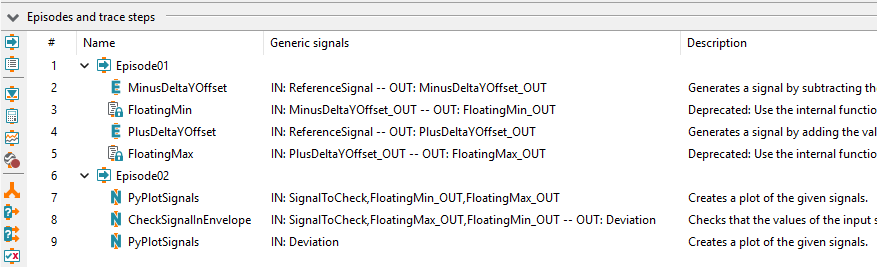
Package CheckSignalInEnvelope
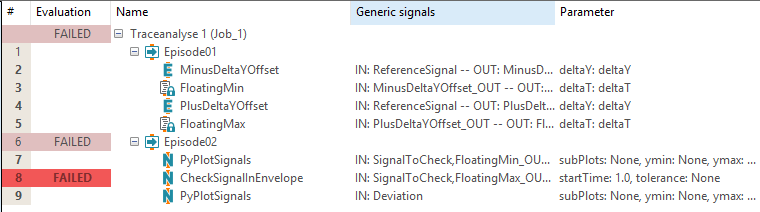
Report of the the package CheckSignalInEnvelope
Available details can be expanded either by a click on the little “plus” symbol (left) or a double click on a given line.

Detailed view of a trace step evaluated as FAILED
The details include both more information about the result of the analysis and the particulars of the trace step parameterization as well as the trace step template on which it is based.
A right click on an entry opens a context menu which will make available some functions to copy the report details. In addition to that you can manage your own comments on an entry. The accompanying dialog allows writing such comments; editing is not permitted. Every comment has to show the identity of its author, and a timestamp will be added automatically.
Adding comments allows you to modify the result of the selected entry. The new result will be propagated to the upper levels in the hierarchy. According to the result schema of trace.check even the main result of a package or project execution may change. The original results are still visible next to the modified results.