Evaluation of the return values of library packages
- Motivation
As a tester, I would like to create a library of generic test sequences that I can reuse flexibly in my test cases. Part of the library packages generate internal return values. I would like to evaluate these directly in the package call.
- Create library package with return values
I use the package
StartStopEngine.pkgfrom the tutorial Descriptive package calls as a template. This package starts/stops an engine model and checks the success of the start/stop by reading a signal that I specify. However, instead of evaluating the result of this signal directly within my library package, I store it as a Return value QuantityToCheckResult: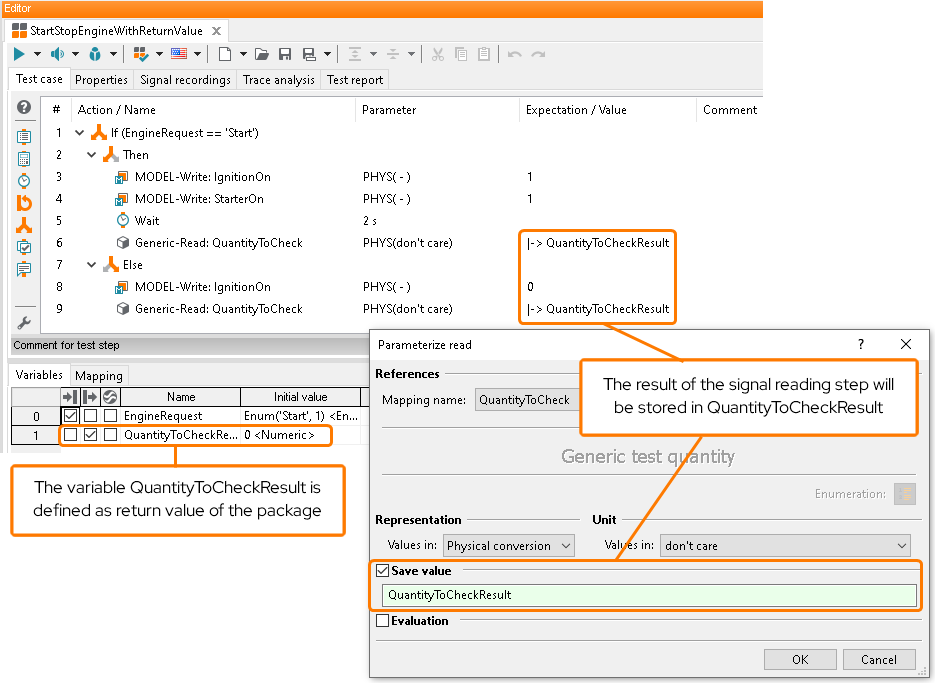
- Evaluation of the return value
I then create a new package
TestPackageWithReturnValueEvaluation.pkg, in which I callStartStopEngineWithReturnValue.pkg. I parameterize the call so that my engine model is started and the signalEngineSpeedis used to check whether the start was successful. As I have specified the return value QuantityToCheckResult, it is displayed in the tab Parameterization of the Parameterization of package dialog. Here, I can also specify my Expectation and set it to “>0”: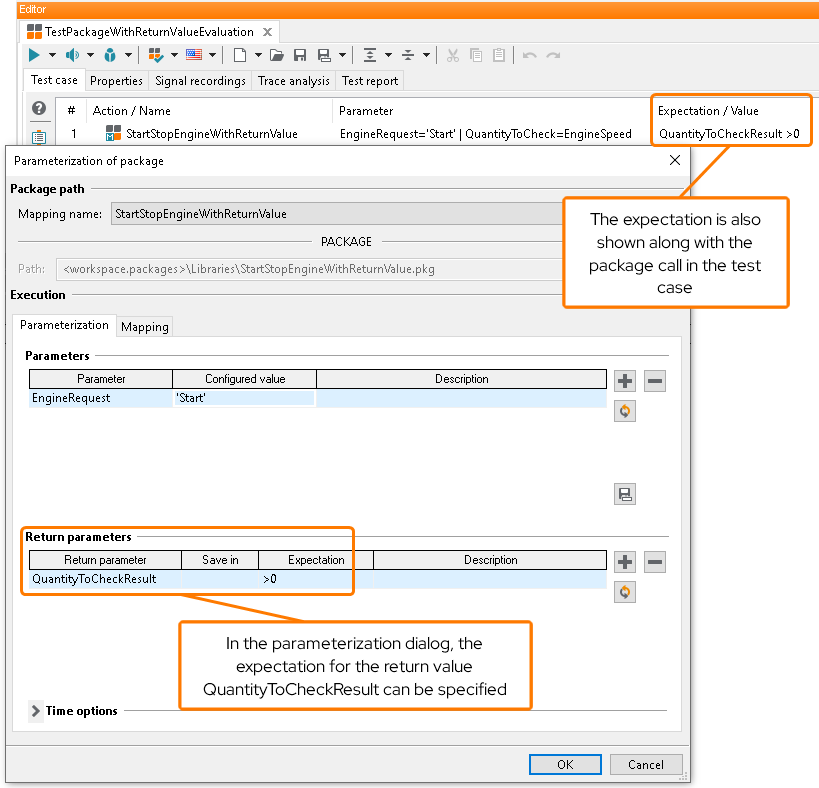
When I execute
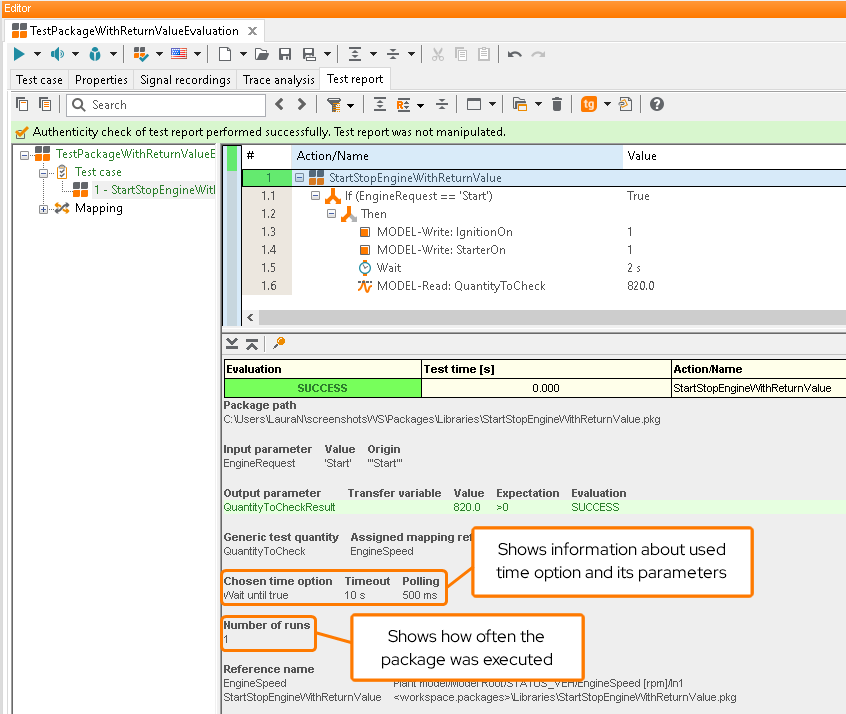
TestPackageWithReturnValueEvaluation.pkg, the call toStartStopEngineWithReturnValue.pkgis evaluated based on my expectation and I can see all the necessary information at a glance: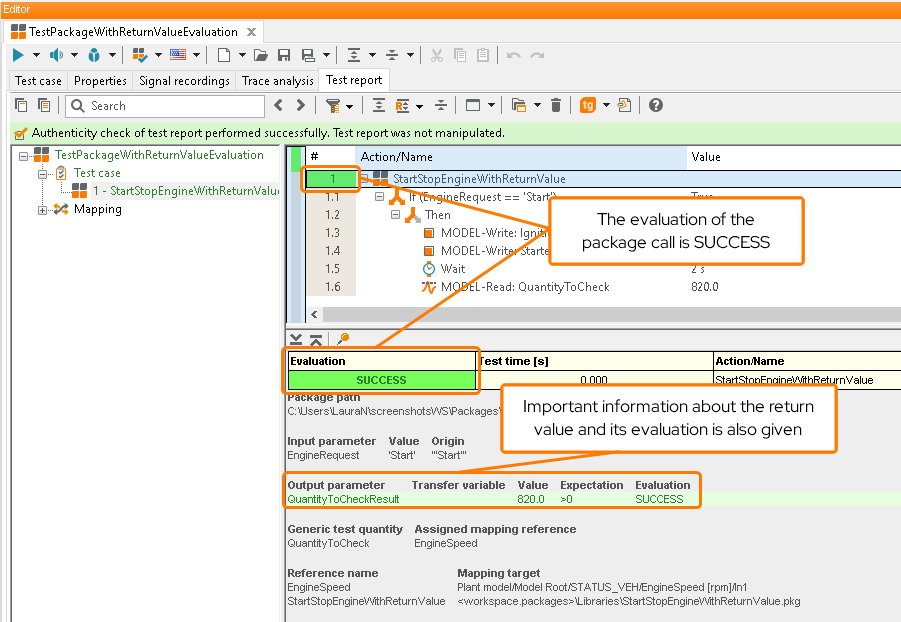
- Use of time options to evaluate the return value
The evaluation of the return value can also be linked to time conditions. To do this I expand the Time options panel after setting the expected value. With the option Wait until true I specify that the expected result must occur within a certain time. I set the Timeout to 10 seconds and the Polling cycle to 500ms, whereby the package is executed every 500ms until either all expectations have been fullfilled (success case) or not all expectations are fullfilled and the timeout of 10 seconds has been reached (error case).
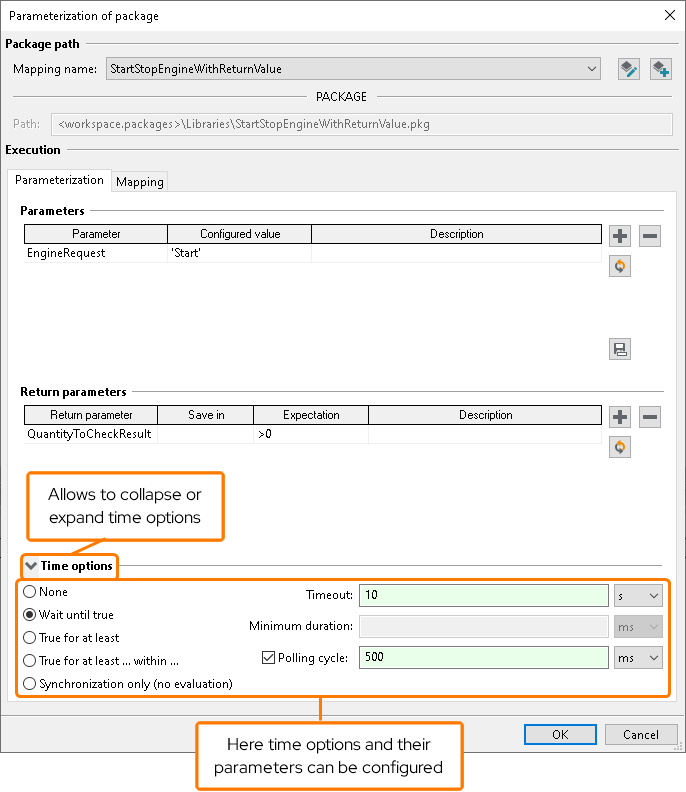
By using the time options, I receive additional information on the used time option and the number of runs in the test result details.
A detailed description of all time options can be found in chapter Time options.