Descriptive package calls
- Motivation
As a tester, I would like to create a library of generic test sequences that I can reuse flexibly in my test cases. I also want the test steps to be formulated as closely as possible to my specification.
- Creating a generic reference package
First I create my library package
StartStopEngine.pkg, which starts or stops my engine and checks the success by means of a signal of my choice. I would like to flexibly specify whether I want to start or stop and which signal I want to use to check the success. To do this, I create a parameterEngineRequestof type Enum with the values ‘Start’ and ‘Stop’: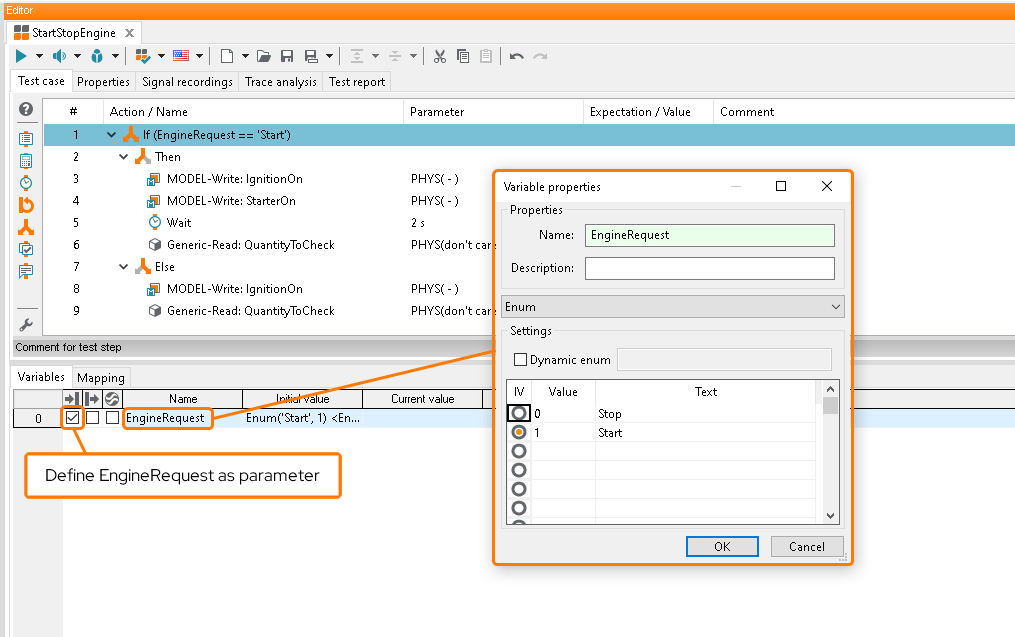
For reading an arbitrary signal, I add a generic reading test step with the mapping name
QuantityToCheck. As the evaluation, I specify that the measured value should either be greater than 0 (when starting) or equal to 0 (when stopping):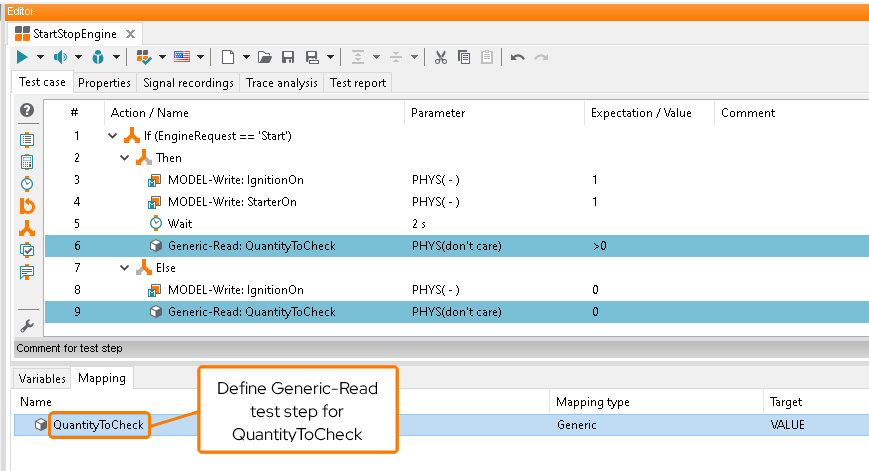
- Using a reference package with a descriptive name
Now I would like to use my reference package
StartStopEngine.pkgin a test caseTestpackage.pkg. The first call should start the engine and the successful start should be checked using theVehicleSpeedsignal. In the second call, the engine is to be stopped and the success checked usingEngineSpeed. Also, I want to be able to differentiate between the two package calls more easily and to recognize from the display name how my library package is parameterized.To achieve this, I first need to create a mapping entry for my library package
StartStopEngine.pkg. This is possible both in the Global Mapping as well as in the Local Mapping of the calling package (here:Testpackage.pkg).For the purpose of this tutoral, I create an entry in the global mapping. In the mapping edit dialog, I can then assign a Alternative Call Representation. This alternative call representation can reference the values of the parameters and mappings of the referenced package
StartStopEngine.pkg. The notation is ${Parameter.My_Parameter} for parameters and ${Mapping.My_Mapping_Entry} for mappings, respectively: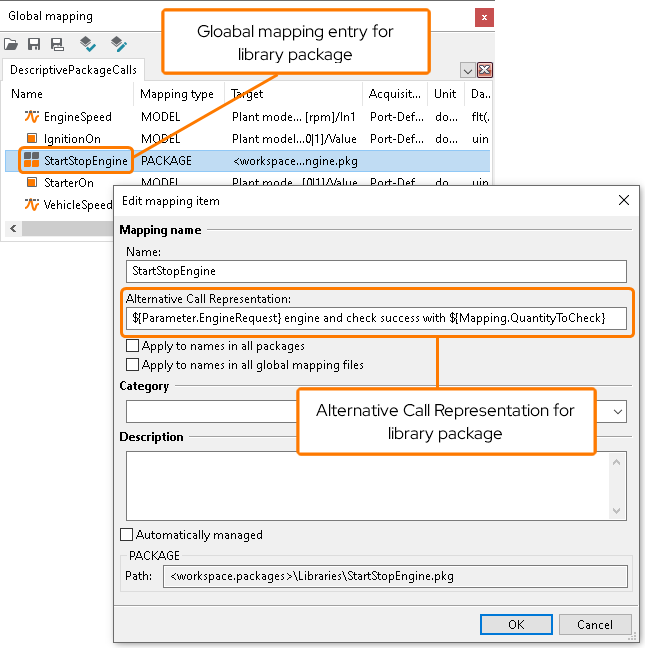
For
StartStopEngine.pkg, I referencedEngineRequestwith ${Parameter.EngineRequest} andQuantityToCheckwith ${Mapping.QuantityToCheck}. Their values will be replaced once I insert the mapping entry intoTestpackage.pkgand parameterized the package call.Next, I drag the package mapping into my
Testpackage.pkgand parameterize it as desired: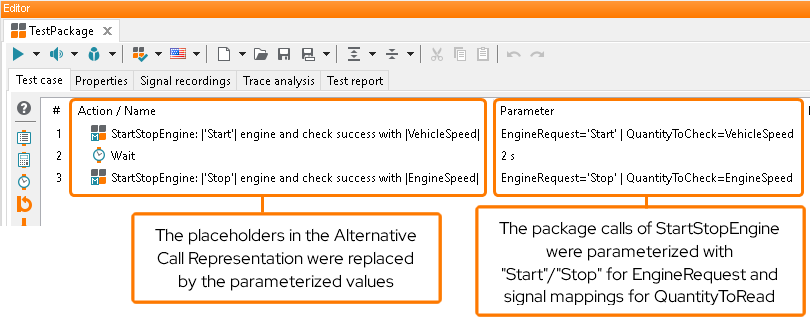
The display name of my reference package
StartStopEngine.pkginTestpackage.pkgnow also contains the alternative call representation with the parameterized values. I can see at a glance what my package call will be doing.