extcap.exe
The network analyzer software Wireshark offers a versatile way to expand the tool with new capture interfaces using so-called external capture plugins (extcap). When used with third-party software such as Vector XL Driver Library or Vector SIL Kit, extcap.exe acts as an external capture plugin and enables access to Ethernet, CAN, CAN-FD and LIN in Wireshark.
Configuration
For adding new capture interfaces, the trace.xplorer offers an easy-to-use dialog that can be opened via the menu . Simply select all the interfaces that you want to set up for an existing Wireshark installation. Deselected interfaces will be uninstalled.
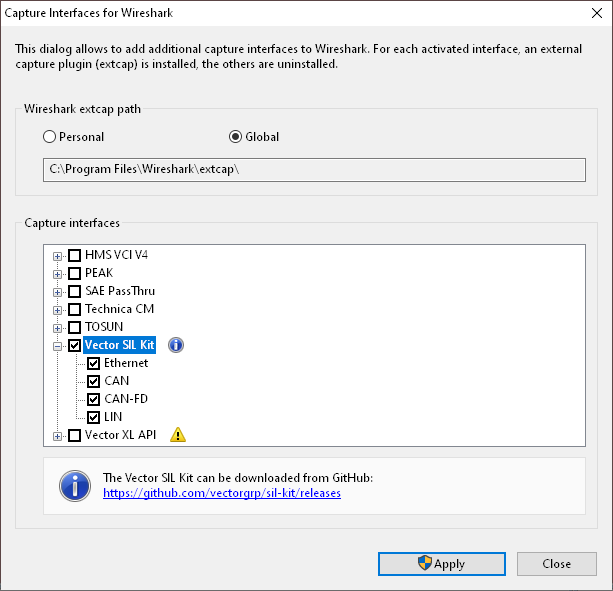
To apply the configuration, Wireshark must be restarted.
Known problems
The described feature will not work, or will have some restrictions if certain Wireshark versions are used. We know about restrictions of the following Wireshark versions:
Wireshark Version |
Problem Description |
4.0.10 |
Recording cannot be started if the configuration uses unchanged default values. https://gitlab.com/wireshark/wireshark/-/issues/19639 |
4.4.0 |
Wireshark searches the wrong directory |