Library workspaces
With library workspaces, content of a workspace can be reused in other workspaces. Changes in the library automatically affect all referencing workspaces.
The integration of such a library into another workspace is done by specifying a path in the ecu.test settings.
ecu.test ships with an example workspace as part of Tutorial library workspace which can be used to follow along with all the steps required to configure and use a library workspace.
Creation
To declare a workspace as a library workspace, the following settings must be made:
Open the dialog .
Configure the Title and Version.
Enable the checkbox Is a library
Enter a unique name for the library in the Namespace field.

Warning
Changes to the namespace lead to incorrect references. The namespace of a library workspace has to be unique! This is necessary to avoid ambiguity when using multiple library workspaces.
Info
A library workspace can have dependencies to other library workspaces. It is mandatory however for those transitive dependencies to be added to the libraries of the main workspace. Otherwise errors caused by their absence will not be detected until test runtime. In addition, the order is also important. Transitive dependencies must be inserted before the other dependencies.
Declaring a workspace as a library workspace results in some changes in ecu.test. These changes are described in Contents of library workspaces in more detail.
Usage
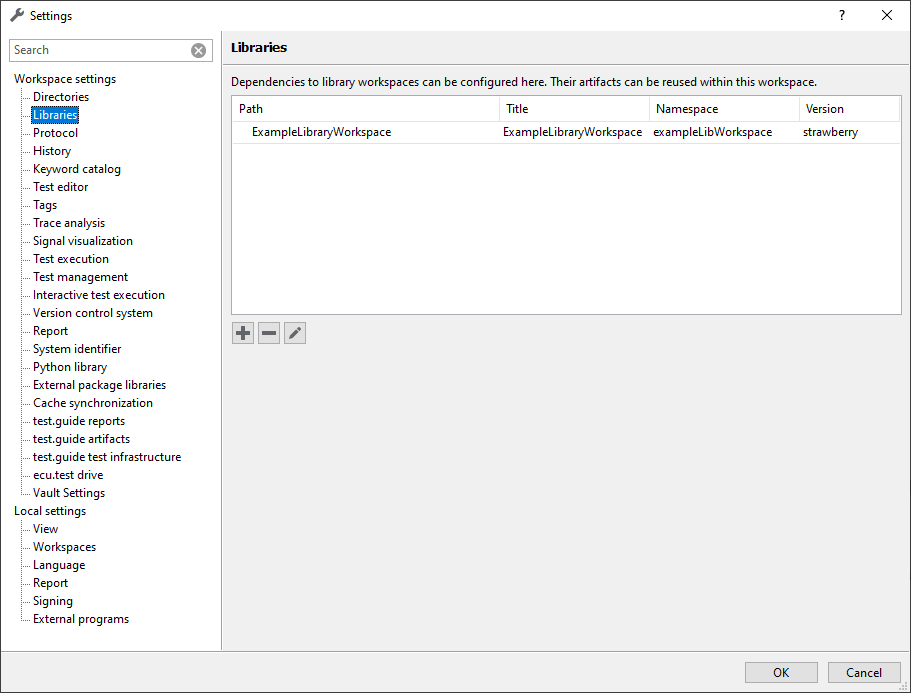
A workspace can reference any number of library workspaces. It is integrated by specifying the path to the respective library workspace in the ecu.test settings.
Under the category Libraries in the ecu.test settings under
the library workspaces are managed. Library
workspaces can be added, removed or edited using the  ,
,  and
and  buttons.
Contents
The following elements can be outsourced to libraries for centralized maintenance and reuse. To quickly distinguish between artifacts from libraries and those from the main workspace, petrol-colored icons are used for artifacts from libraries.
Element |
Standard icon |
Library icon |
|---|---|---|
|
|
|
|
|
|
|
|
|
|
|
|
|
|
|
|
|
|
|
|
|
|
|
|
|
|
|
|
|
|
|
|
|
n.a. |
n.a. |
|
n.a. |
n.a. |
|
n.a. |
n.a. |
|
n.a. |
n.a. |


If elements from a library workspace are added to a package or project in the main workspace via drag & drop from the workspace explorer or via the context menu, a library reference is always created.
Package
Packages from a library workspace are added to a package via drag & drop from the workspace explorer. This creates a library reference. Further information on the different types of package references can be found in the section Package references.
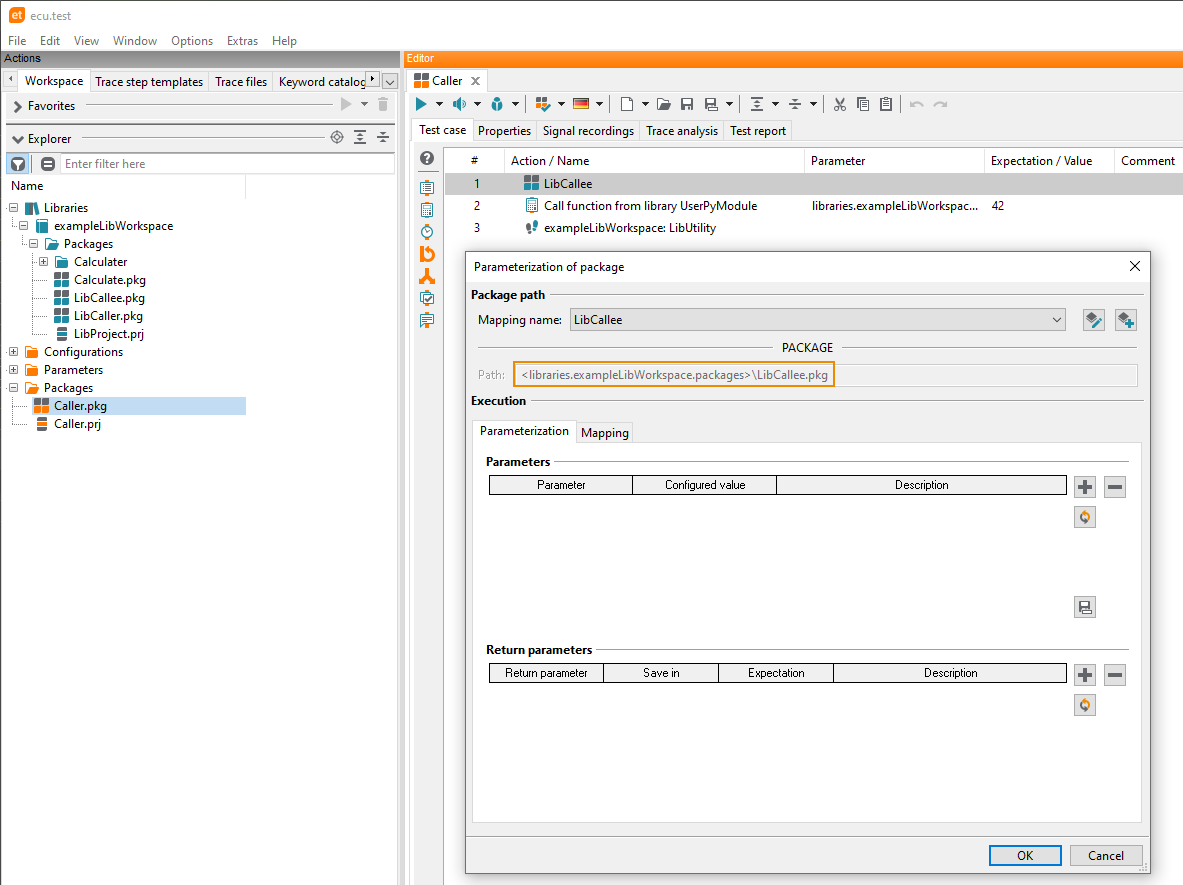
A package in a library workspace can also call another package from the same library workspace. In this case, the package is always integrated with a library reference.
Info
It is also possible to integrate main workspace packages into library packages. In contrast to the other cases, an ==absolute== package reference is always generated. This backward dependency has a negative impact on the reusability of the library due to the absolute path references!
Project
A project in a library workspace can call up packages and projects from the same library workspace as well as from other, transient library workspaces.
Configurations
Test configurations (TCF) as well as Test bench configurations (TBC) can be outsourced to library workspaces to ensure centralized maintenance and reusability. They can also be managed in different libraries.
Creation
Configurations can be created and edited either directly within the respective library or from a local workspace and saved into a referenced library.
If a configuration contains references to artifacts, the following restrictions apply:
Relatively specified file references, e.g. to bus databases or A2L/HEX files, always refer to the library workspace in which the configuration is stored. Relatively referenced files must therefore be stored in the same library workspace.
Alternatively, an absolute path can always be specified.
Important
A base path <workspace> in the TBC causes the library workspace in which the TBC is stored to be used as the base path. The base path is used for the configuration of some tools and makes it possible to use relative paths in the tool configuration.
Usage
Configurations from libraries can be dragged and dropped into the configuration area or the project in the same way as those from the main workspace. In the latter case, a configuration change is inserted in the project. As soon as a configuration change contains at least one reference to a library, it is marked with a petrol-colored icon.
Trace step template
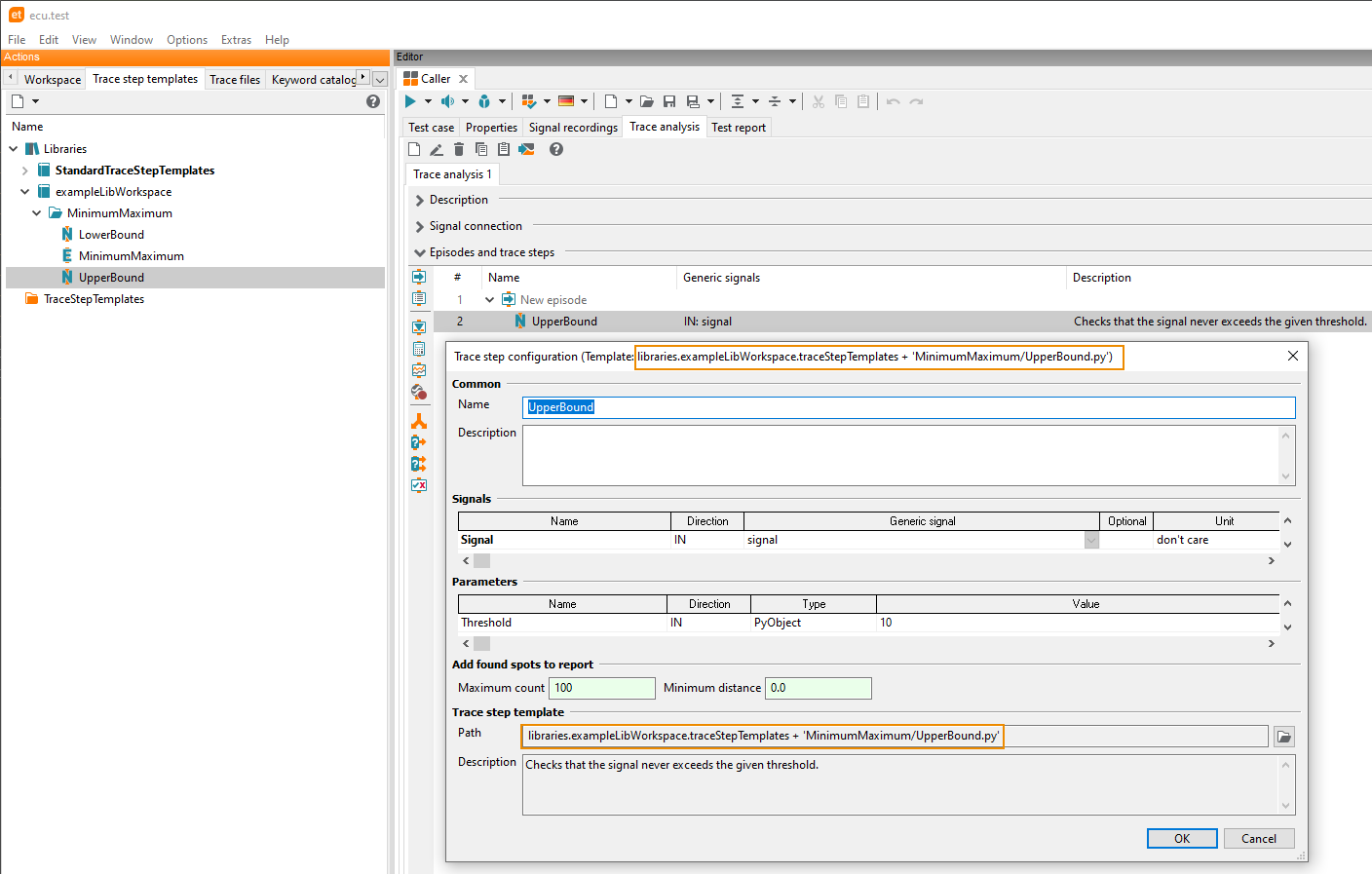
Trace step templates from a library workspace are added to a package via drag & drop from the tab Trace step templates. A library reference is always created.
The call is defined by a path expression. The syntax of such an expression can be seen when double clicking the added trace step. It consists of the following elements:
libraries.<namespace of library>.traceStepTemplates + <relative trace step template path in the library workspace>
Example: libraries.exampleLibWorkspace.traceStepTemplate + 'MyLibTemplate.trcp'
Generators
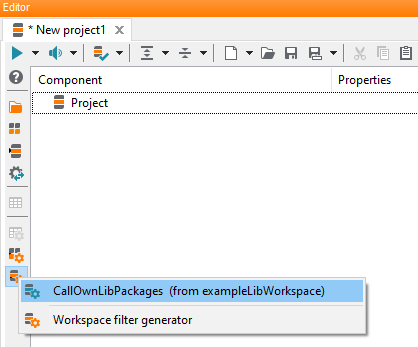
Project generators of a library workspace can also be used by projects
in the main workspace. By using the context menu of the function  Project generator, the
project generator of the library workspace can be created and integrated into the selected workspace
project. Every call of a project generator is referenced by a unique ID.
Project generator, the
project generator of the library workspace can be created and integrated into the selected workspace
project. Every call of a project generator is referenced by a unique ID.
When calling a project generator from the library workspace, the namespace of the library workspace is prefixed to the name of the project generator for better differentiation.
Example: exampleLibWorkspace: CallOwnLibPackages
Similar to the project generators, package generators and parameter generators of a library workspace can also be integrated.
User Python library
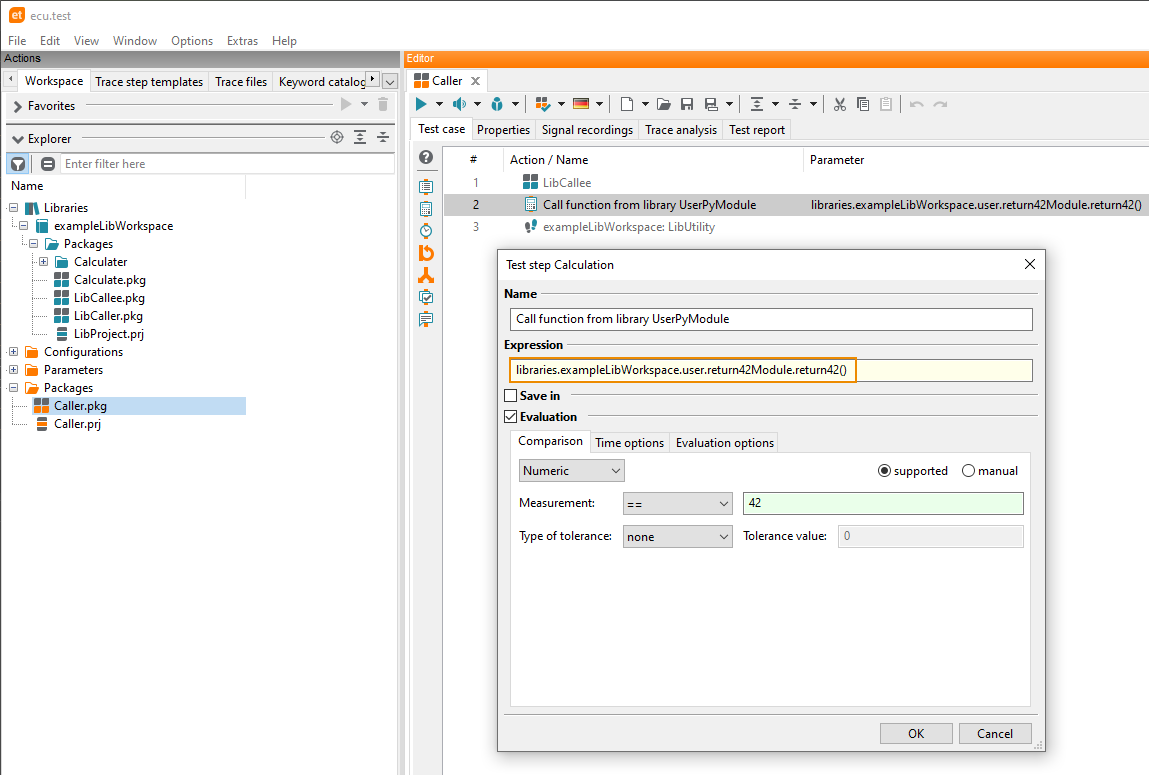
If User Python libraries are stored in a library workspace they can also be called in packages of the main workspace.
To do so, the path to the User Python librariy function must be entered into the Expression field of a Calculation test step.
Example: libraries.exampleLibWorkspace.user.return42Module.return42()
The module libraries.<NAMESPACE>.user must always be used as a prefix in the call.
Info
To avoid naming conflicts, the user module is not available in library workspaces.
Caution
So instead of the normal call,
from user.MyModule import UserClass
the calls should be
from libraries.exampleLibWorkspace.user.MyModule import UserClass
where exampleLibWorkspace is the namespace of the library workspace to import from.
Of course, it is possible to move the existing user-defined customizations of ecu.test, which were stored in the user Python library into a library. Examples are own package checks, customization of test management connection or also user defined image filters.