User test management adapter
A user test management adapter is an interface defined in ecu.test. This interface offers the possibility to implement your own adapters. In this way, the interaction between the test management system and ecu.test can be optimally mapped for your own use case. An example and the specific description of the interface can be found in the API documentation.
There are sample solutions for the following test management systems:
IBM Engineering Test Management - ETM (former RQM)
Jama Connect
PTC Codebeamer
Siemens Polarion ALM
Obtaining sample solutions
We want your Feedback! That is why we currently provide the sample solutions on request. Simply send us a short mail.
Caution
The sample solutions serve as templates and must be validated in the customer environment!
Library workspace structure
Sample solutions will be delivered as library workspace. This design allows you to reuse the adapter across multiple projects and keeps the integration code separate from your project-specific workspace.
Initial setup
Copy the provided library workspace into its own folder (do not mix with your main workspace).
Open your main project workspace in ecu.test.
Navigate to .
Click the + button and select the library workspace folder to add it.
Click OK to confirm and load the library workspace.
Open again.
Navigate to and click Install to automatically install all required Python packages for the adapter. Wait for the installation.
Activate the checkbox Install at program start and close the settings menu via OK.
Load the adapter via or press Ctrl + Shift + R.
Finally, configure the adapter.
Configuration
Before the first use, the adapter needs to be configured. The settings page is reachable via .
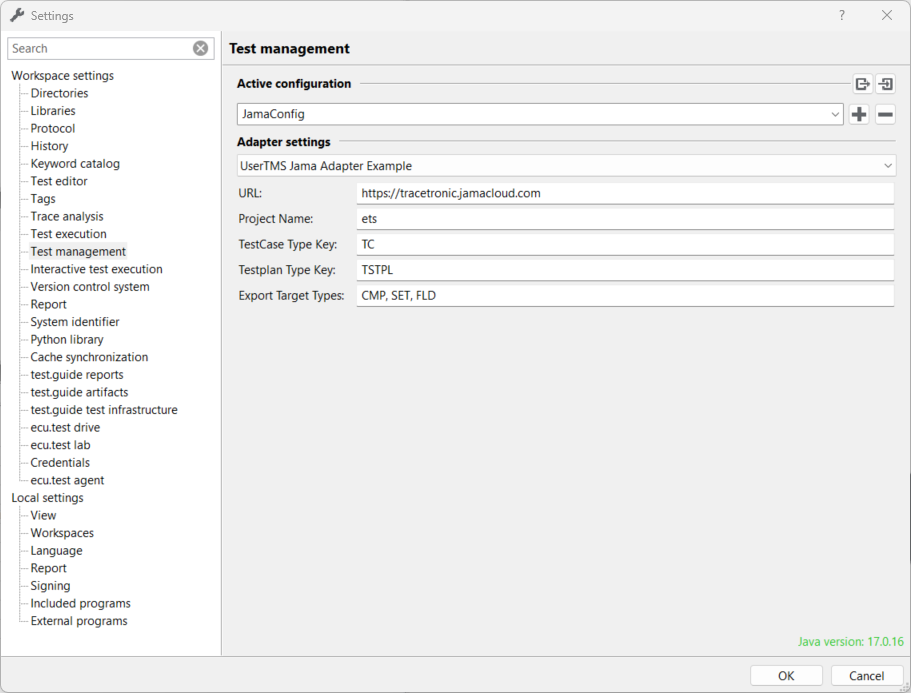
Here you can choose, which adapter to use, as well as adjust related configuration settings.