Fundamentals
Modern control units and software systems are becoming increasingly complex. At the same time, requirements for quality, traceability, and repeatability in testing continue to rise. In many cases, manual testing is no longer sufficient.
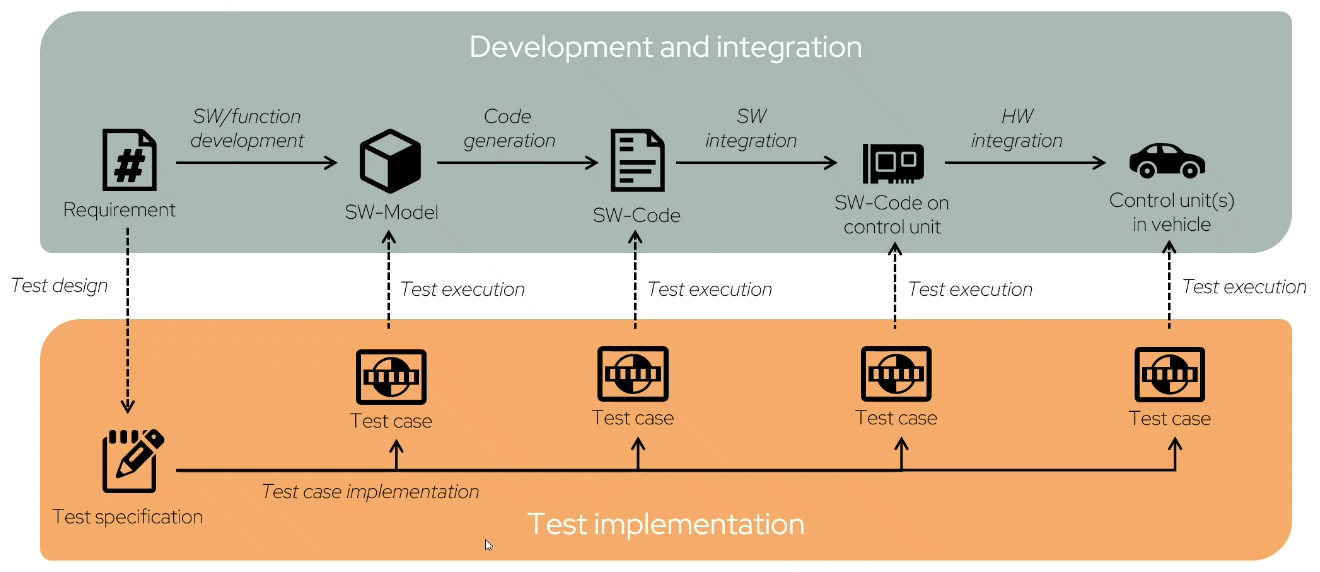
Automotive software development/integration and test process
Software development and testing are closely linked. As system complexity grows, the need for structured and repeatable test procedures also increases. Test automation helps execute recurring test workflows efficiently, consistently, and transparently. This reduces manual work and improves the comparability of results.
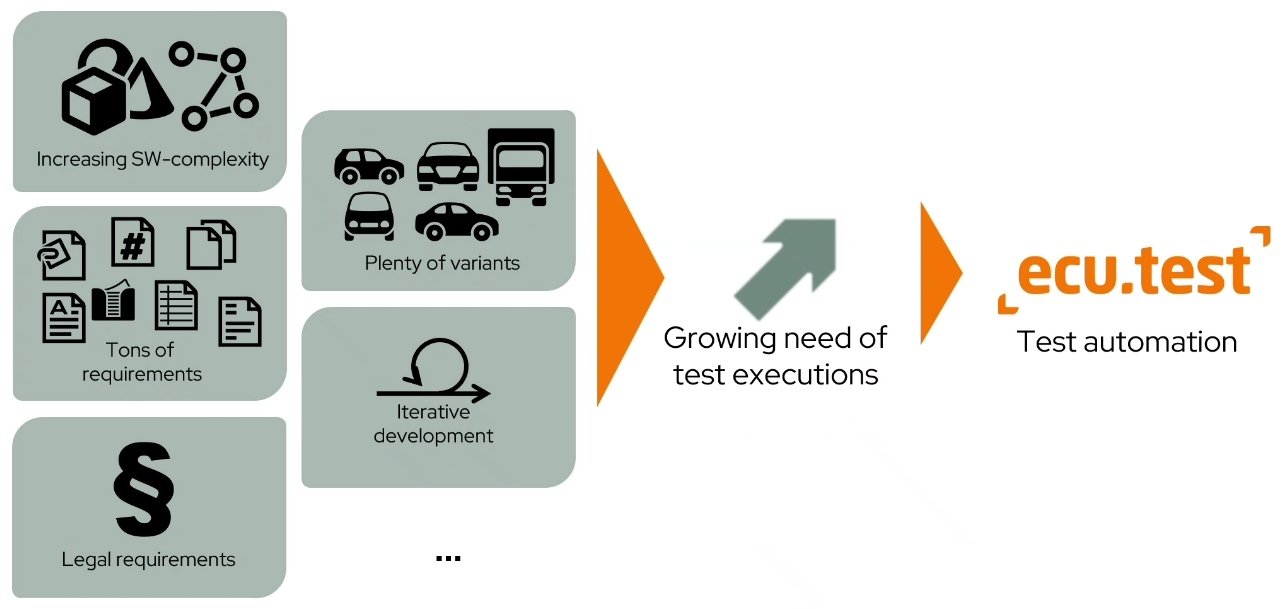
Why test automation?
With ecu.test, test workflows can be created across tools, executed automatically, and evaluated consistently. Tests become reproducible, independent of specific test environments, and easy to integrate into development and validation processes.
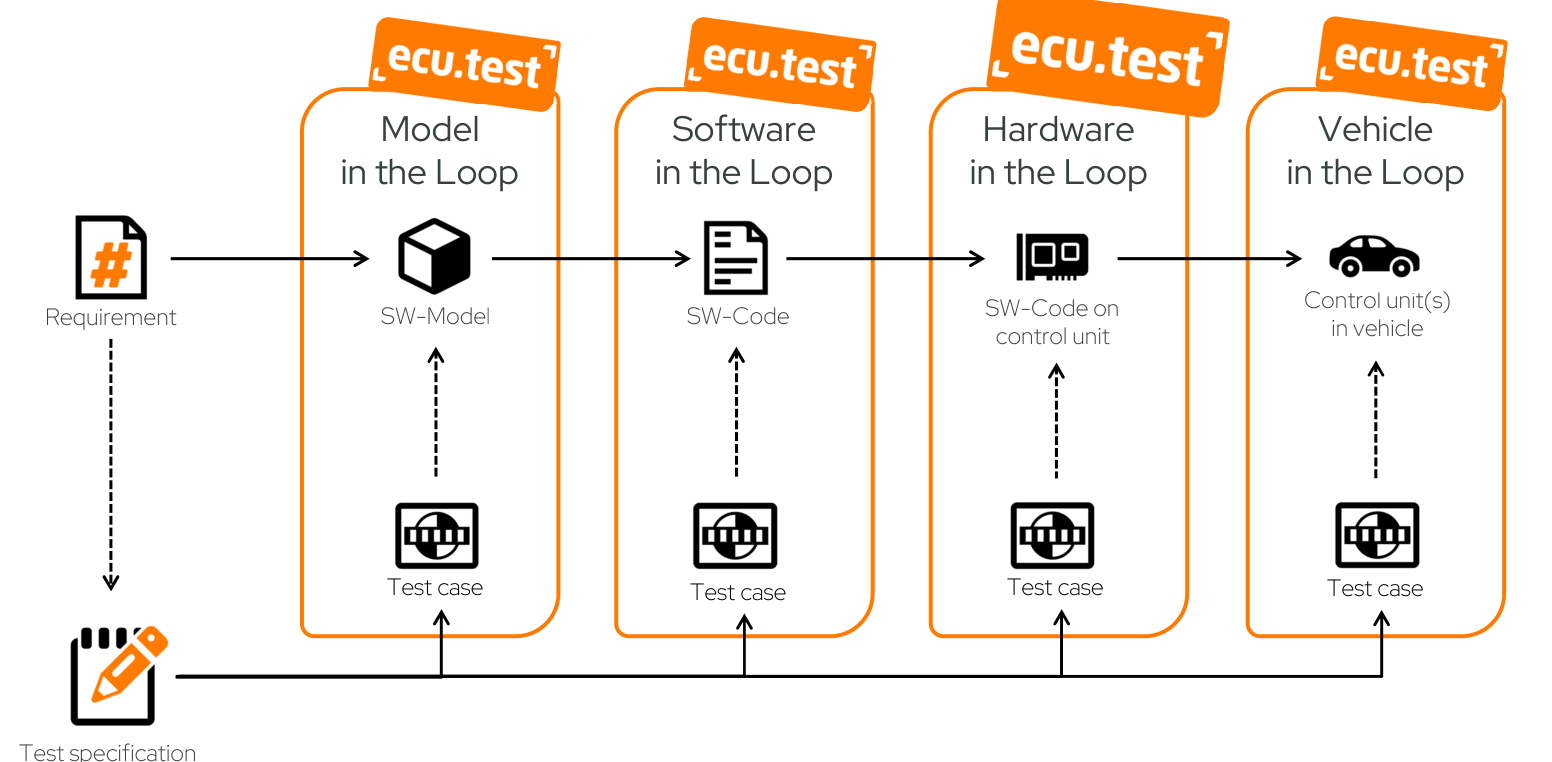
Test workflow with ecu.test
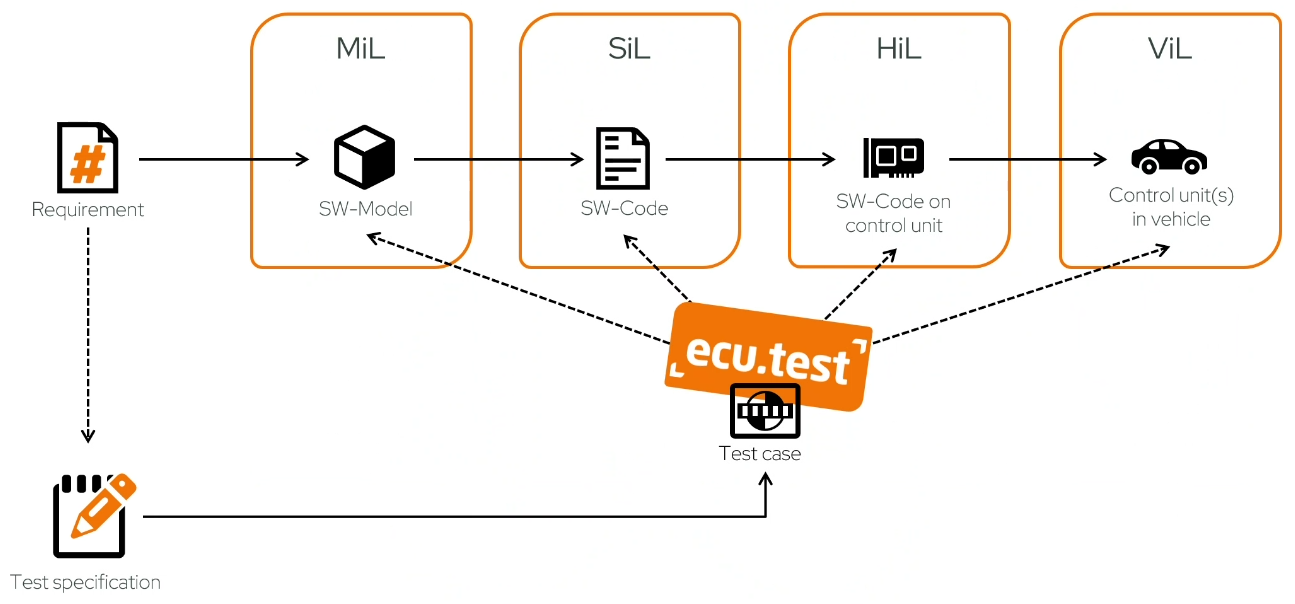
Possibilities of ecu.test
Lessons - Part I
This tutorial provides the most important concepts and workflows of ecu.test in sequential lessons - from first startup and creating configurations to test cases with system access, mapping, and trace analysis:
Start ecu.test for the first time and use a workspace
Understand the key areas of the user interface
Create and execute the first package
Trace test results in the report
Create and select configurations
Access test quantities
Connect a tool and execute a simple test successfully
Mapping
Signal recording and trace analysis
The focus is on the fundamental workflows: understanding configurations, creating simple test cases, and tracing results in the test report.
Info
The goal of this tutorial is not complete product coverage, but a practical introduction to the most important concepts.
Work through the lessons independently at your own pace. Theoretical introductions and practical exercises are clearly separated.
After completing this section, you know the fundamental structure of ecu.test and how typical first workflow steps interact. You have also carried out an initial example with package, configuration, and test execution yourself.
Continue with Lesson 1.