The first trace analysis
This step-by-step instruction illustrates the trace analysis functions of ecu.test, providing a first overview. It shows, one by one, all essential functions needed for setting up a trace analysis.
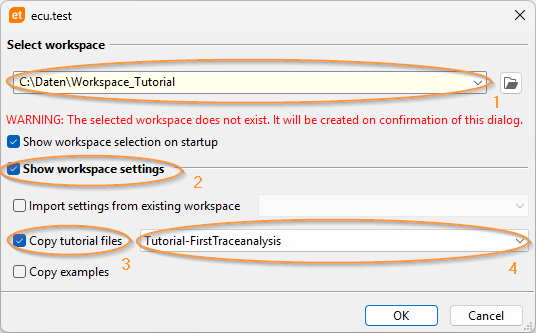
Workspace settings
At the first start of ecu.test the dialog Dialog is shown to select a Workspace (1). In preparation for the tutorial the required data must be copied into the workspace by activating the option Show workspace settings (2) and setting the option Copy tutorial files (3). The entry Tutorial-FirstTraceanalysis (4) must be selected.
The tutorial consists of the following parts: