Part 3: Communication between calling and called package
Objective
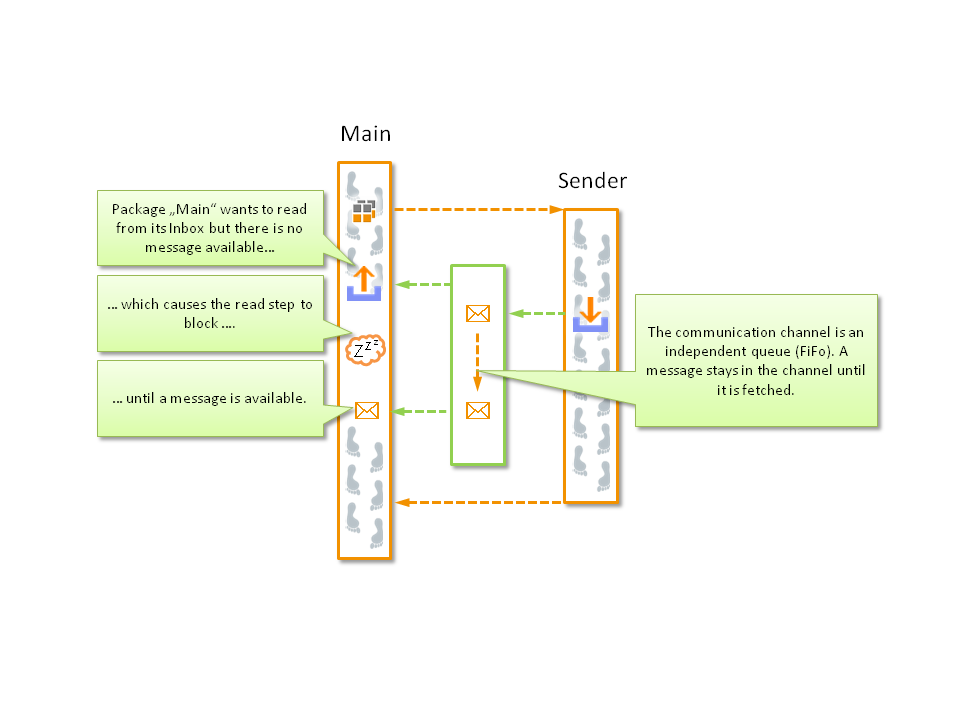
Communication by means of inboxes and outboxes between the calling and the called package.
Test creation
Switch to “sender” in test case editor
Create the variable “sendLine” with the type “outbox”, mark as return value
Insert the test step “write to outbox” under (see image “Select test steps for inboxes and outboxes”) inside the loop, selecting “sendLine” as outbox and indicating “loopCounter” as message
Switch to “main” in test case editor
Create the variable “receiveLine” with the type “inbox”, maintaining the standard settings
Create the numeric variable “receivedData” with the standard value
Create the numeric variable “loopCounter” with the standard value
After calling “receiver2”, insert a loop with the number “sendCountInput” and save the counter in “loopCounter”
Call the package parameterization dialog for “sender” and activate the tab In-/Outboxes, create here a link between “sendLine” and “receiveLine” like in image “Link inboxes and outboxes via the package parameterization dialog”
Insert the test step “read from inbox” under inside the loop, selecting the inbox “receiveLine”, saving the value in variable “receivedData” and specifying as expectation value that the measurement value is equal to “loopCounter”
Save all packages and execute the main package
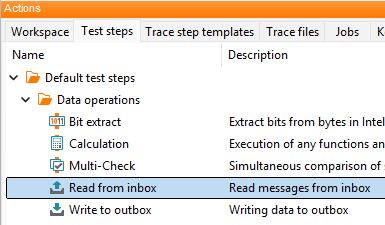
Select test steps for inboxes and outboxes

Link inboxes and outboxes via the package parameterization dialog
Result
The package “sender” transmits at every loop run its counter via an outbox to the calling package. The calling package reads out the counter with the linked inbox and compares it with its own counter.
Remark
Inboxes and outboxes are storages that can be linked between each other and serve for communication between packages. Every outbox is connected with an inbox. In our example the inbox and the outbox work according to the FIFO principle. For the purpose of communication between packages by means of in and out boxes, it is imperative for the box variable to be marked as input parameter or return value.