Constants definition editor
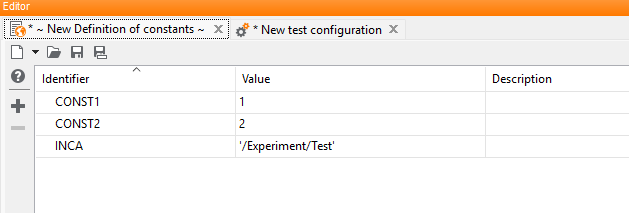
Similar to the input panel on Global constants tab the global constants can be defined here with their name, value and description.
A constant will be added to the list by clicking the button  in the tool bar.
The button
in the tool bar.
The button  removes the selected items from the list. These possibilities
are also available in the context menu after right-clicking a row.
removes the selected items from the list. These possibilities
are also available in the context menu after right-clicking a row.
More details about editing global constants may be found in section Global constants tab.
The definition of constants will be saved as a separate file into the folder Parameters
with the file extension *.gcd (which means global constants definition) and can be
referenced in test configurations and project elements. The usage and the access of the defined
constants is described in Constants Definition Files.