Jobs tab
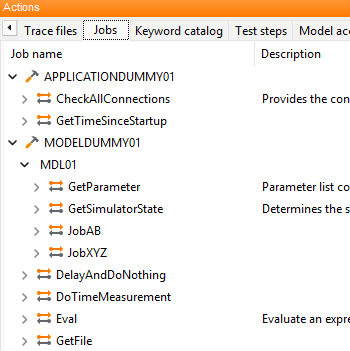
The tab Jobs assembles actions serving for the control of a specific interface. In most cases they are not transferable to other interfaces. Therefore they should be used carefully as they may obstruct platform-independent test execution.
At the topmost level there are all tools specified in the test bench configuration for which tool jobs exist. That means also that the respective tool jobs are available only if a test bench configuration is selected, but they are also available if the connection with a tool fails.
Below the tools there is a list of existing ports. Some of the jobs are directly assigned to a tool as they affect all ports, e.g. starting or stopping the software. Other jobs are assigned to ports because they carry out an action at an individual port, e.g. writing a message. Below the jobs the respective parameters and return values are specified.
If a job is inserted (right click on ) the corresponding dialog appears. That dialog is identical to the basic type “function”. That means every tool job is inserted into the package as a function with parameters and return values. The dialog itself presents neatly arranged all existing parameters which can be edited here directly by double-clicking in the column Value.
There is a separate field for the return value in which the name of a ecu.test variable can be indicated that will take the return value. Below there is the Expectation value dialog for a direct evaluation of the return value.
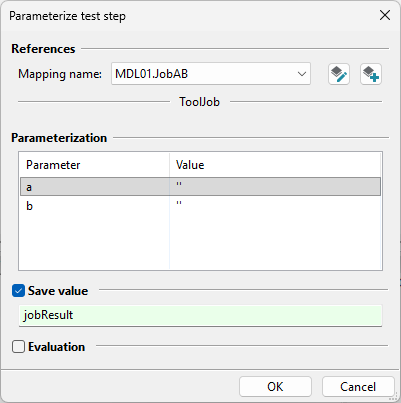
Dialog to parameterize a tool job.